Building a software feature involves making decisions long before the first version reaches customers. How should the workflow operate? What information should users see? What happens when someone takes an unexpected action? Product, Design, and Engineering teams can discuss these questions, write requirements, and prepare detailed designs, but understanding how a feature is supposed to work isn’t quite the same as experiencing it.
At Ship.Cars, prototyping has been one way to bridge that gap. An interactive prototype gives everyone involved an opportunity to explore a proposed solution before committing to full development. Traditionally, the challenge was deciding how much time and effort to invest in creating something that, by definition, wasn’t the finished product.
Why prototyping was traditionally time-consuming
Traditionally, prototypes could take different forms depending on what we needed to evaluate. Designers could use tools such as Figma to create interactive mockups, connecting individual screens, buttons, and pop-ups to simulate how a feature would behave. For more technically complex ideas, developers could build functional prototypes to evaluate specific interactions or technical approaches.
Both methods required considerable effort. A detailed design-based prototype could involve hundreds of interconnected screens, each representing a different interaction or possible outcome. A functional prototype could require developers to implement enough of the underlying behavior to make the concept testable, even though the resulting product wasn’t actual software intended for production.
Even relatively simple interfaces could become surprisingly complex to prototype. Consider a form with just two fields. Each field has a few states – it might be empty, completed, contain an error, or be disabled. To demonstrate how the form behaves, designers need to account for different combinations of those states, along with the interactions connecting them. Add a notification, another button, or an alternative path through the workflow, and the number of screens and connections can grow rapidly.
We’re talking about just two fields. With more complex workflows, the number of screens can grow exponentially, and prototyping alone can easily take up an entire working week.
– Daniel Mitev, PhD, Head of UX at Ship.Cars
This was a significant consideration for our team. Even with reusable components and well-organized design files, representing all the necessary states, interactions, and alternative paths required substantial manual work.
The challenge was deciding how much functionality to include. The more interactions and possible scenarios we wanted to demonstrate, the more preparation the prototype required. Given the time and effort involved, we had to consider whether building an interactive prototype was worth the investment, and how much detail was necessary to evaluate the proposed solution.
When a detailed prototype still isn’t detailed enough
We experienced these limitations firsthand while working on an improvement to Trip Builder, one of the key features at Ship.Cars’ SmartHaul TMS.
Our Design team had prepared a detailed Figma prototype consisting of more than a hundred interconnected screens. Considerable time and effort had gone into representing the proposed workflow and making it interactive enough for users to explore.
The prototype eventually became so complex that the tools themselves started presenting challenges. The Figma file was difficult to manage, and the testing tool had limitations on how much it could handle. To make the prototype usable, the team had to split it into several separate files that would load sequentially.
At one point, we were solving problems with the prototype just so we could get to the user’s actual problems.
– Daniel Mitev, PhD, Head of UX at Ship.Cars
Despite all that preparation, we encountered another limitation when we started testing the prototype with users.
The prototype was built to demonstrate specific workflows and interactions. But some users didn’t follow the paths we had prepared for them. Some noticed an element that appeared clickable and naturally tried to interact with it, only to discover that nothing happened. Others wanted to navigate to a different part of the workflow to perform an action that made sense to them but hadn’t been included in the prototype.
From the user’s perspective, these were reasonable expectations. They were exploring what appeared to be an interactive application, without necessarily knowing which parts had been designed to function and which hadn’t. From our perspective, supporting those interactions would have required additional screens, connections, and preparation.
We repeatedly found ourselves explaining that the prototype was only a simulation and that certain interactions hadn’t been built into it. The feedback was valuable, but these interruptions made it harder to observe how users would naturally approach the workflow. During some of the sessions, instead of watching them interact with the proposed solution, we had to ask them to imagine how a particular action would work in the finished feature.
And this was a prototype that had already required considerable time and effort to prepare.
The experience demonstrated a practical tradeoff we had to consider when creating prototypes. We could invest more time in preparing additional screens, interactions, and alternative paths, but there would still be scenarios we hadn’t anticipated. Every additional interaction required more work, and at some point, we had to decide whether that extra effort was justified for something intended primarily to help us evaluate a proposed solution.
How AI-assisted prototyping reduces manual effort
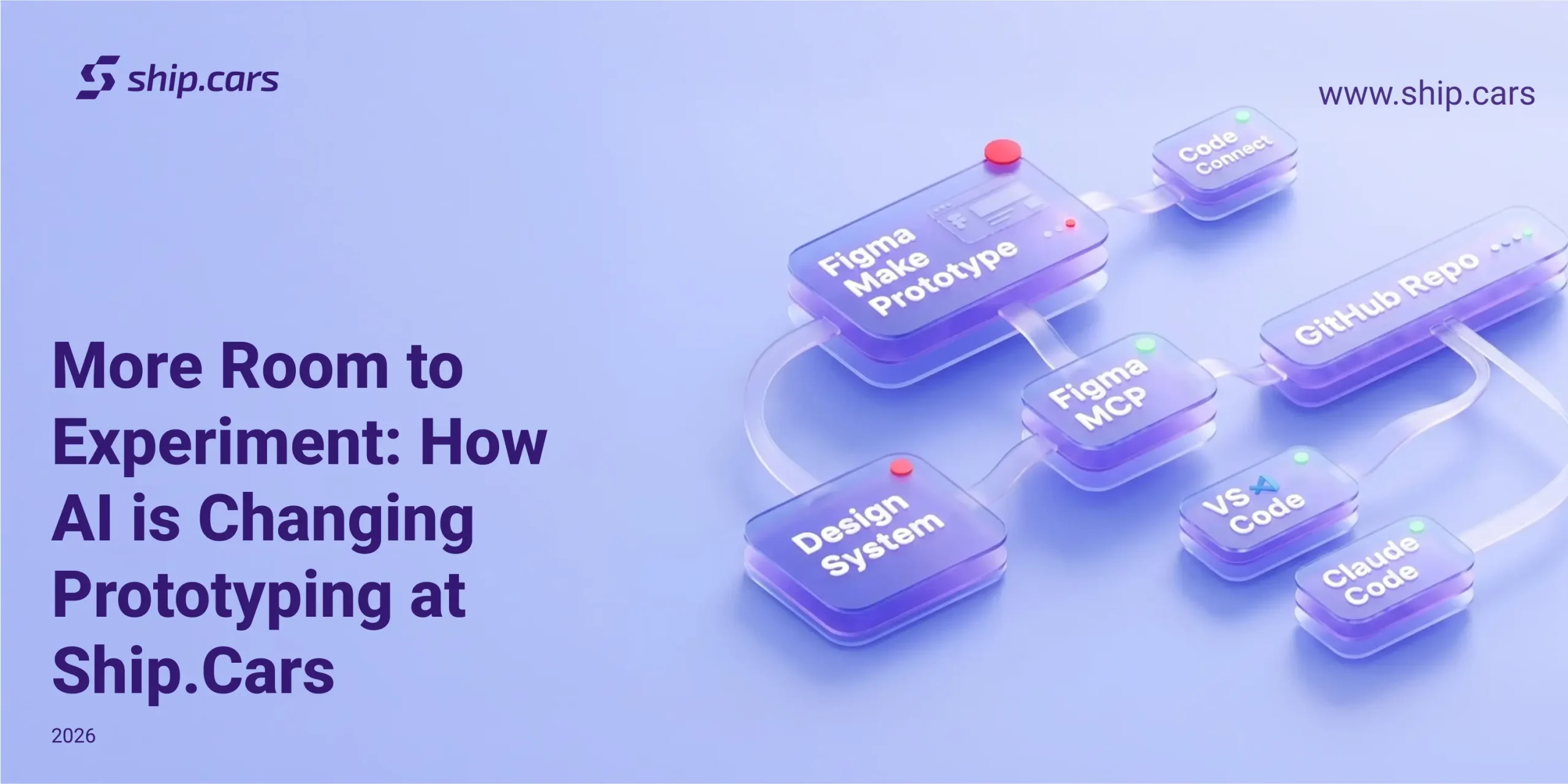
Today, AI-assisted prototyping is becoming part of how we create both design-based and functional prototypes at Ship.Cars. Depending on the feature and what we need to validate, they can help generate interface designs, prepare interactive workflows, build functional components, and modify existing prototypes.
The resulting prototypes don’t necessarily look very different from those created through traditional methods. The biggest change is how much time and manual effort goes into preparing them.
Previously, creating a detailed interactive prototype involved manually preparing the different states, connecting screens, and building the paths users could follow. Reusable components made it easier to update existing designs, but assembling the initial interactive workflow still required considerable preparation.
With AI assistance, we can provide the relevant requirements, context, and scenarios to cover, then review and refine the generated prototype. According to our Head of UX Daniel Mitev, the time required to build functionality within interactive prototypes has decreased by approximately 3 to 5 times.
This is particularly valuable when exploring a feature with multiple interactions or possible outcomes. Rather than manually constructing every element of the initial prototype, designers and Product can spend more time evaluating whether the proposed workflow makes sense, identifying missing scenarios, and considering how users might behave in situations that weren’t part of the original requirements.
At Ship.Cars, prototyping is incorporated selectively into the early stages of our AI-assisted development process. During discovery and validation, an AI-generated prototype can help us assess whether a proposed solution addresses the original problem and is worth pursuing. During feasibility and estimation, it can help evaluate whether a technical approach is practical and inform the effort involved in implementation. The Product team validates the first, while technical leads and architects evaluate the second.
Prototyping isn’t necessary for every feature or functionality. A straightforward change to an existing screen or a familiar interaction may be sufficiently clear through requirements and static designs. More complex features involving multiple interconnected steps, conditional behavior, or significant changes to an existing workflow are more likely to benefit from interactive exploration.
And generating a prototype faster doesn’t mean it is automatically ready for user testing. An initial version may look complete while still containing missing interactions, unclear behavior, or usability problems. Product and Design teams remain responsible for evaluating whether the prototype accurately represents the intended solution and whether it is suitable for the feedback they want to collect.
More opportunities to experiment before committing to development
Prototyping is only one of many responsibilities shared across Product, Design, and Engineering teams. Before work on a prototype could even begin, teams often needed to discuss requirements, align on the proposed approach, and decide which interactions were worth exploring. That preparation took time as well, meaning we had to make many of those decisions before having something interactive to evaluate. With other development tasks competing for the same resources, exploring several alternatives was simply not practical.
For our Design team, one of the most meaningful changes is how much easier it has become to explore an idea before committing time to building out every interaction.
Before, I’d see an opportunity to improve something and immediately start calculating how many screens I’d need, how I’d connect them, and how I’d build the interaction. All that assembly work before I could even find out whether the idea was worth pursuing.
– Daniel Mitev, PhD, Head of UX at Ship.Cars

With AI taking on more of that initial work, an idea can be explored while it’s still fresh. The first prototype may raise new questions: What happens if a user interrupts the process? What if they make a mistake? Could an entire step be eliminated? Each answer may reveal another possibility worth evaluating.
This gives us more freedom to compare alternatives, test different interactions, and reconsider initial decisions before committing to full development.
There’s also an important difference between showing someone what a proposed feature might look like and letting them experience how it would work. A customer reviewing static screens may understand the intended layout but still struggle to evaluate how the different steps connect or whether the workflow fits their needs. With an interactive prototype, they can navigate through the proposed solution, try different actions, and identify missing steps or unexpected behavior. Instead of asking them to imagine how a feature will function, we can give them something concrete to evaluate and respond to.
And that feedback can come from different perspectives.
A shipper may be focused on whether the proposed functionality fits their established way of working. A dispatcher, for instance, might expect a particular action to be available because that’s how they handle the same task in their existing process. The Product team may be evaluating whether the solution addresses the underlying problem and how its development effort compares with other priorities on the roadmap. Engineering may be considering how the proposed behavior would work technically and interact with the rest of the platform, while Design evaluates usability, component choices, and consistency with the existing interface.
Everyone is looking at the same proposed feature, but they’re not evaluating it in the same way. Even internally, Product and Engineering can leave a discussion with slightly different expectations of how something should function or what the final result should look like.
A prototype gives these different perspectives something concrete to respond to. Rather than relying entirely on descriptions, static designs, or individual interpretations, stakeholders can explore the proposed behavior and identify where their expectations differ.
More accessible prototyping can also help us determine whether an idea is worth pursuing at all. A proposed solution might appear promising initially but reveal unnecessary complexity, practical limitations, or a poor fit with the original problem once explored interactively. Identifying these issues before substantial development begins can be just as valuable as receiving feedback on how to improve a proposed workflow. Sometimes, the most useful outcome of prototyping is deciding not to proceed with an idea at all.
Earlier feedback can reduce rework, but not eliminate it
One of the more frustrating situations in software development occurs when a feature has already been implemented and the people who requested it realize that the result doesn’t quite match what they had expected.
Software workflows can be difficult to communicate through descriptions and static representations alone. Even when requirements have been discussed and documented multiple times, different people may picture the intended behavior differently. Certain questions only emerge when there is something interactive to evaluate.
At that point, making changes can involve much more than adjusting a design. Depending on the feature, developers may need to revise existing functionality, update related components, repeat testing, or partially or completely redesign the underlying logic and how it interacts with other parts of the platform. The revised work then needs to go through the appropriate review, validation, and release processes.
What might have been a relatively straightforward adjustment during prototyping can become considerably more complicated and expensive after implementation.
Earlier validation gives us an opportunity to identify some of these differences before they become part of the finished software. And when prototypes can be created and revised with less effort, it becomes more practical to incorporate feedback, evaluate other approaches, and confirm that the proposed changes address the concerns raised.
This benefits more than customer-facing discussions. Product, Design, and Engineering also gain an opportunity to align their expectations before substantial implementation work begins. Each team can evaluate the same interactive workflow from its own perspective, identify potential problems, and resolve questions that might otherwise emerge later in development.
Of course, requirements can still change, technical constraints can emerge, and customers may reconsider decisions after using a completed feature. Further iteration will always be part of software development. Being able to create and revise interactive prototypes with less effort simply gives us more opportunities to identify and address potential issues before they become significantly more complicated to resolve.